UK job search
Universal Credit Job Search Log Template: A Filled-In Example
See a fictional week of completed job-search activity, copy journal wording that fits your own facts, and use a blank printable log alongside your claimant commitment.

Use the blank log to note each action you actually completed: date, activity, employer or role if relevant, outcome, evidence reference and next step. The filled-in week below is fictional. Your own claimant commitment and Universal Credit account set what you must do and where to report it.12
Get the blank job search log
The printable template has room for the date, activity type, employer, role, completed action, outcome, evidence reference and next step. The CSV has the same headings if you prefer a spreadsheet. Leave employer and role empty for an action that did not involve a vacancy.
These are personal planning templates, not DWP forms. They do not send an update to your Universal Credit account. Use the account for any message or activity record you are asked to complete there.12
Your work-search record and your claimant commitment
A personal work-search record is a running note of your activity. It can help you find application details, remember follow-ups and prepare for a conversation with your work coach.
Your claimant commitment sets out the responsibilities you have agreed to meet. DWP says these depend on your circumstances and are reviewed as those circumstances change.2
This guide covers Universal Credit in Great Britain, with a separate Northern Ireland note below. The sample week illustrates a way to write notes. It does not suggest how many activities you must do or which activities meet your commitment.
A personal job-search log records your activity. Your claimant commitment sets your responsibilities.2
What to put in your record
Start with the action you completed, not the one you intended. Add the actual date and activity type. Name the employer and role where relevant, then describe what you did, the current outcome and where you kept any supporting material. Keep the next step separate from completed work.
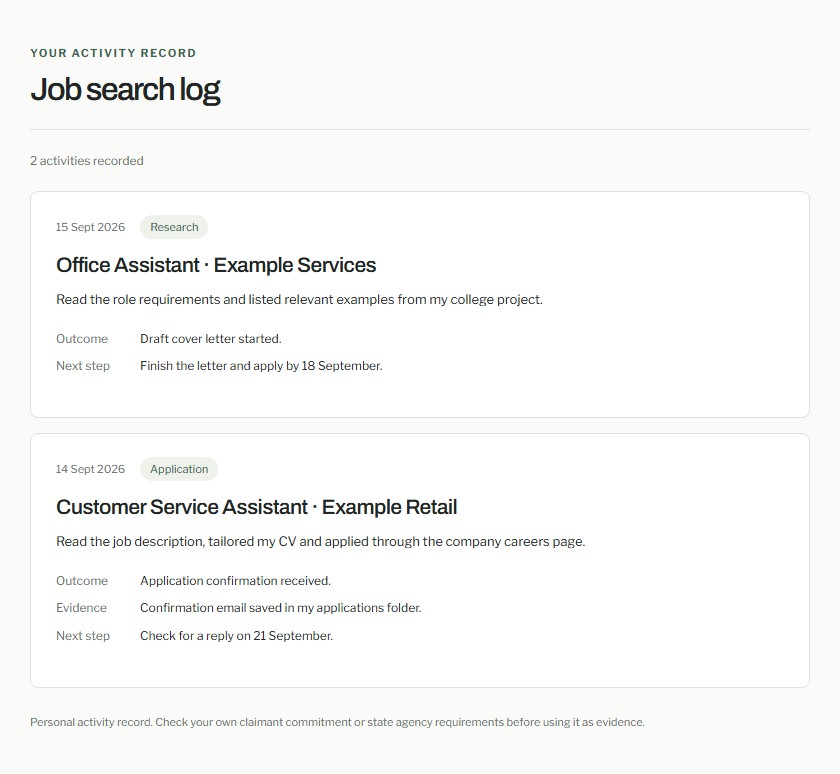
Read the example as text
Fictional example of a job-search log.
Your activity record
Job search log
2 activities recorded
14 Sept 2026 · Application
Customer Service Assistant · Example Retail
Action: Read the job description, tailored my CV and applied through the company careers page.
Outcome: Application confirmation received.
Evidence: Confirmation email saved in my applications folder.
Next step: Check for a reply on 21 September.
15 Sept 2026 · Research
Office Assistant · Example Services
Action: Read the role requirements and listed relevant examples from my college project.
Outcome: Draft cover letter started.
Next step: Finish the letter and apply by 18 September.
A filled-in week, with completed actions kept separate
This week is entirely fictional. The names, dates and outcomes are sample wording, not real applications or a prescribed activity count. Copy the level of detail, then replace every fact with your own. A week may look different depending on your commitment.
A draft or plan is not a submitted application. Record what happened on the actual date.
| Date and activity | Completed action and outcome | Evidence reference and next step |
|---|---|---|
| Monday 14 September, application | Example Retail, customer service assistant: tailored my CV and submitted the application on the employer's careers page. A confirmation email arrived; no employer response yet. | Evidence: confirmation email in my applications folder. Next: check for a reply. |
| Tuesday 15 September, preparation | Read the office assistant requirements at Example Services and listed examples from a college project. Started a cover letter but did not apply. | Evidence: saved draft and vacancy link. Next: finish the letter and decide whether to apply. |
How to word a Universal Credit journal update
GOV.UK says your online account may ask you to tell DWP what you have done to look for work.1 If you are asked to report an action, use your own facts and the format requested in your account. A personal log or CSV export does not post to the journal.
For an application, name the date, employer, role, method and current outcome. For preparation, state what you finished and do not call a draft an application. These fictional examples show the distinction.
- Preparation wording: 'On 15 September, I reviewed the office assistant vacancy at Example Services and drafted a cover letter. I have not submitted an application.'
- Follow-up wording, if it later happens: 'I checked my Example Retail application account. The status still showed submitted and I had no new message.'
Fictional exampleOn 14 September, I applied for the customer service assistant role at Example Retail through its careers page. I tailored my CV and submitted the form. I received a confirmation email, which I saved in my applications folder. I have not had an employer response yet.
Keep evidence easy to find
Update your record while the details are fresh. Keep an original confirmation or document in a folder you can find again. The personal log stores an evidence reference or link, not the file itself.
If you have no confirmation email, describe the screen or application history you actually saw. A CSV export does not create evidence for an activity you did not complete.
Before a work-coach appointment
Read your current commitment in your Universal Credit account. DWP says you can update progress there.2 Use the log to review completed actions, responses and questions; check that you can find the material you refer to.
GOV.UK says you may need to report job-search activity through your online account.1 A CSV export or printed log does not send anything there. Ask your work coach how they want information recorded or presented.
If you claim Universal Credit in Northern Ireland
Northern Ireland has separate official guidance. nidirect says to record all work-search activities in the journal section of your Universal Credit account. It also says to contact your work coach through the account if your commitment is unclear.3
You can use a personal log to organise your notes, but follow the Northern Ireland instructions for your claim. The personal tracker has no connection to your Universal Credit journal.
When you cannot complete an agreed action
GOV.UK advises getting support straight away if you cannot fulfil your commitment, respond to an online task or attend an appointment.1 Explain the difficulty through the appropriate Universal Credit contact route. Do not wait for your record to look complete.
Keep your own note of the difficulty and the contact you made. Avoid filling gaps with invented applications or changing dates to make the record appear complete. A useful record reflects what happened.
Sources
- GOV.UK: Universal Credit, your claimant commitment Responsibilities, online tasks and support. Checked 23 September 2026.
- DWP: Universal Credit and your claimant commitment Personal circumstances, the commitment and online progress. Checked 23 September 2026.
- nidirect: Help to find work on Universal Credit Northern Ireland guidance on journal records and work-coach contact. Checked 23 September 2026.
Sources checked on 23 September 2026. Follow the current instructions that apply to your circumstances.